7 Best Practices of ERP Data Migration for Businesses in 2026
Read by: 1

Sanjay Gohel
HOD Odoo
Sanjay Gohel is the Head of Department – Odoo at UNCANNY Consulting Services, specializing in ERP implementation, Odoo development, and software solutions. He helps businesses improve efficiency through customized ERP systems designed to streamline workflows and support operational excellence.

 20 Min Read
Published on December 31st 2025
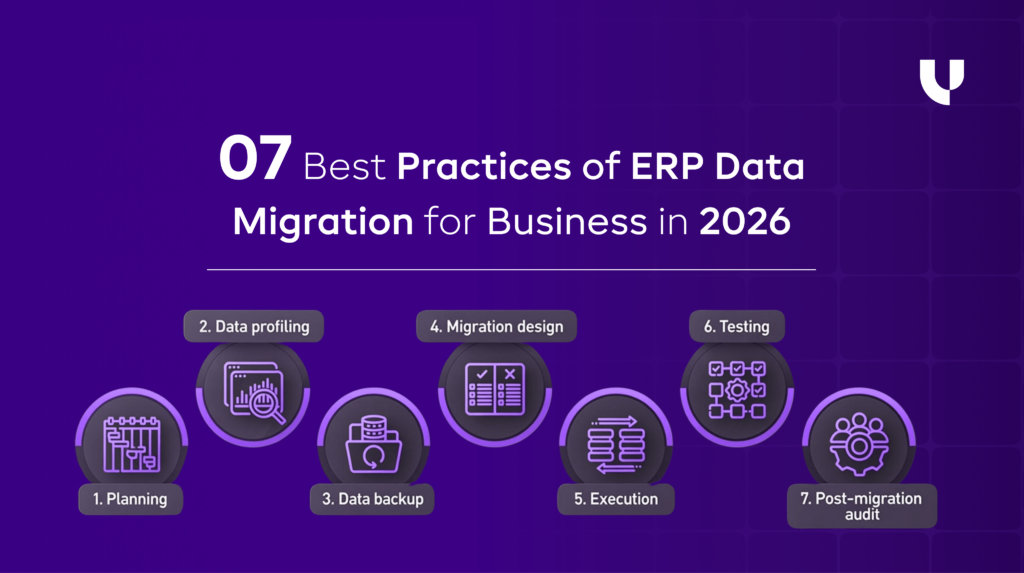
7 Best Practices to Ensure a Successful ERP Data Migration in 2026
A successful ERP data migration is built on clarity, discipline, and repeatability. Each of the practices below addresses a common failure point in ERP migrations and explains how experienced teams avoid it.
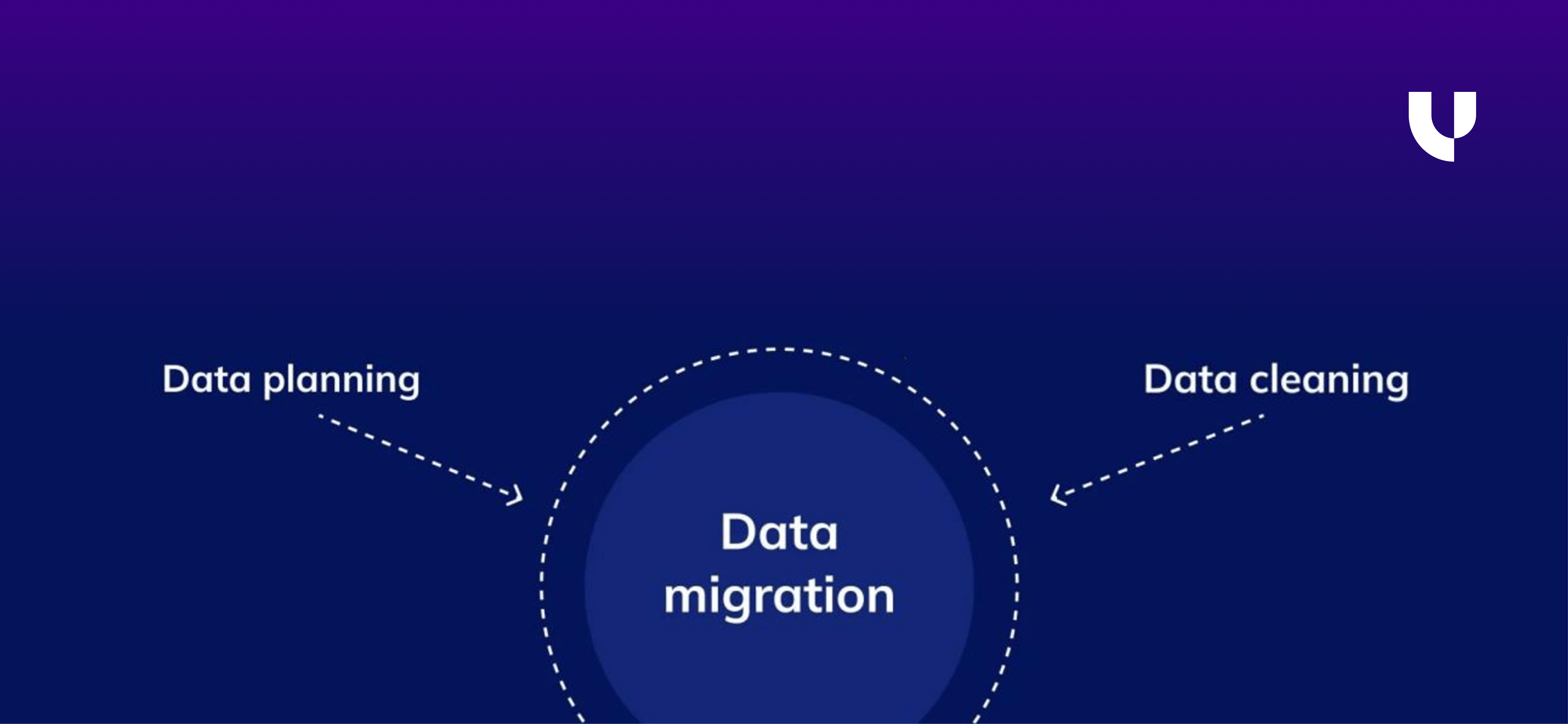
Best Practice #1: Start by deciding what data actually needs to move
Most ERP migrations become complex not because of technology, but because businesses try to migrate everything they have ever stored. Over time, systems accumulate closed transactions, obsolete records, and data created to support processes that no longer exist.
Migrating unnecessary data increases:
- Mapping complexity
- Validation effort
- Risk of errors during go-live
More data does not mean more value. Relevant data does.
How this helps
Clear data scoping creates a controlled migration boundary. It allows teams to focus effort on data that directly supports current operations and compliance needs.
| Data Category | Migrate to ERP | Reason |
|---|---|---|
| Active customers & vendors | Yes | Required for ongoing transactions |
| Open sales & purchase orders | Yes | Needed for operational continuity |
| Current inventory balances | Yes | Impacts fulfillment and valuation |
| Closed historical transactions | No (Archive) | Reference-only, increases load |
| Obsolete items or vendors | No | Adds clutter and confusion |
A practical way to scope data is shown below:
Example
A manufacturing company migrating to Odoo decided to migrate only operationally active data. Ten years of closed transactions were archived separately. Migration timelines were shortened significantly, and users found it easier to navigate the new system.
Uncanny insight:
We see smoother ERP launches when data scoping decisions are finalized early and documented. Late-stage scoping almost always results in rushed compromises.
Best Practice #2: Clean the data before expecting the ERP to handle it
ERP systems enforce structure. Legacy systems often allow flexibility. When poor-quality data enters an ERP, it disrupts workflows, automation, and reporting.
Typical data quality issues include:
- Duplicate customer or vendor records created by different teams
- Inconsistent item naming conventions
- Different units of measure for the same product
- Missing mandatory fields
If these issues are not resolved before migration, they surface immediately after go-live, which is why collaborating with experienced teams that offer Odoo consulting and data migration support can make a significant difference.
This is also where ERPNext Consulting Services can be especially valuable, helping businesses clean, standardize, and validate legacy data before it enters the new ERP environment.
How this helps
Data cleaning improves consistency and reduces downstream fixes. It ensures that the ERP starts with data that aligns with its process logic.
Common cleanup activities include:
| Data Issue | Cleanup Action |
|---|---|
| Duplicate records | Merge and standardize master records |
| Inconsistent formats | Align naming, codes, and field formats |
| Missing mandatory fields | Complete required values before migration |
| Free-text variations | Convert to controlled values |
Cleaning data upfront reduces manual corrections and support tickets after go-live.
Example
A distribution company consolidated customer data from CRM, accounting software, and spreadsheets before migration. Duplicate customers were merged, preventing invoicing errors and reporting mismatches in the ERP.
Uncanny insight:
We recommend iterative data cleanup cycles aligned with trial migrations. Each cycle improves data quality and reduces risk further.
Best Practice #3: Assign clear business ownership to every data set
ERP data migration fails most often at the point where decisions are required.
During migration, questions come up continuously:
- Which customer record is the correct one?
- Should this vendor still be active?
- Why do inventory quantities differ across systems?
- Which opening balance should be treated as final?
When ownership is unclear, these questions stall the migration. IT teams cannot answer them. Consultants should not decide them. And when decisions are delayed, teams either rush approvals at the last minute or move incorrect data into the ERP.
Data in an ERP represents how the business actually operates.
Only business teams can confirm whether that representation is correct.
That is why assigning clear business ownership to every data set is critical.
How this helps
Clear data ownership creates accountability and momentum throughout the migration.
When ownership is defined:
- Every dataset has a named decision-maker
- Validation cycles move faster
- Conflicting inputs are resolved early
- Final sign-offs are meaningful, not rushed
Ownership also clarifies who does what during migration:
- Reviewing extracted data
- Approving cleaned and transformed data
- Signing off before final migration
A practical ownership structure looks like this:
| Data Set | Business Owner | What They Are Accountable For |
|---|---|---|
| Customer master | Sales / Sales Ops | Active vs inactive customers, duplicates |
| Vendor master | Procurement | Vendor status, payment terms |
| Item master | Operations | Units of measure, classifications |
| Inventory balances | Operations | Quantity accuracy and valuation logic |
| Pricing & discounts | Sales / Finance | Commercial correctness |
| GL balances | Finance | Trial balance accuracy |
| AR/AP aging | Finance | Customer/vendor-wise correctness |
This structure ensures that questions are answered by the people closest to the data, not escalated endlessly.
Example
A services company migrating to ERP had customer data spread across:
- Accounting software
- CRM
- Multiple spreadsheets maintained by different teams
During the first migration attempt, validation stalled because no one could confirm which customer list was correct. Decisions were delayed, and trial migrations had to be rerun.
Once ownership was assigned to the sales operations team, progress changed immediately. They:
- Identified active customers
- Merged duplicate records
- Flagged obsolete accounts
Validation cycles shortened, approvals became decisive, and the migration moved forward without last-minute confusion.
Uncanny insight:
In our ERP projects, migrations move faster and more predictably once data ownership is formally documented and agreed upon.
One consistent pattern we see:
- Projects that treat data ownership as an IT responsibility struggle.
- Projects that treat it as a business responsibility stabilize faster after go-live.
That is why we define and confirm ownership early, before detailed migration work begins.
Best Practice #4: Validate data at every stage, not just before go-live
One of the most dangerous assumptions in ERP data migration is: “We’ll validate everything at the end.”
By the time data reaches the final stage, it has already:
- Been extracted from multiple sources
- Transformed to fit new structures
- Mapped to new master and transactional logic
If an issue is discovered only at the end, teams are forced to either:
- Rework large parts of the migration, or
- Accept imperfect data to protect timelines
Both options increase risk.
Data errors don’t usually appear suddenly. They accumulate quietly across stages.
How this works
Effective ERP teams break validation into controlled checkpoints, where specific questions are answered at each stage.
A practical validation framework looks like this:
| Migration Stage | What Is Validated | What Teams Look For |
|---|---|---|
| After extraction | Source vs extracted data | Missing records, incorrect filters |
| After transformation | Mapping logic | Field mismatches, format issues |
| After ERP load | ERP behavior | Reports, balances, workflow impact |
Instead of asking “Is all the data correct?”, teams ask:
- Does this data still match the source?
- Does it behave correctly in the ERP?
- Does it support daily operations?
This approach reduces rework and builds confidence incrementally.
Example
A retail company migrating inventory data initially validates quantities only after final ERP load. They discovered mismatches caused by unit-of-measure conversions, which required redoing transformations and delaying go-live.
In the next migration cycle, validation was introduced immediately after transformation. Unit issues were caught early, corrected once, and never resurfaced.
Uncanny insight:
In our projects, validation is treated as a control mechanism, not a checklist item. Every migration cycle ends with a structured validation review with business owners before moving forward.
This prevents late-stage surprises that derail timelines.
Best Practice #5: Migrate in Phases Instead of Choosing One Big Leap
Most ERP teams assume that if a migration script runs successfully once, the data is “ready.”
That assumption is one of the most expensive mistakes in ERP implementations.
A single test run only confirms one thing: The data moved from System A to System B without crashing.
It does not confirm:
- Whether balances reconcile
- Whether historical transactions behave correctly
- Whether reports show meaningful numbers
- Whether performance holds under real data volume
ERP data behaves very differently under real usage than in controlled test environments.
How to do it right
A successful ERP migration requires multiple migration cycles, each with a different objective.
Recommended migration cycles and purpose.
| Migration Cycle | What It Validates | Why It’s Important |
|---|---|---|
| Cycle 1: Structural test | Field mapping, data types | Ensures compatibility |
| Cycle 2: Volume test | Data size, performance | Avoids go-live slowdowns |
| Cycle 3: Business validation | Reports, workflows | Ensures usability |
| Cycle 4: Pre-go-live | Final readiness | Reduces last-minute risk |
Each cycle uncovers new categories of issues:
- Cycle 1 exposes mapping errors
- Cycle 2 exposes performance bottlenecks
- Cycle 3 exposes business logic gaps
Skipping cycles compresses risk into go-live week.
Example
A wholesale distributor migrating to Odoo ran three test migrations.
- First run revealed missing tax mappings
- Second run revealed inventory valuation mismatches
- Third run revealed incorrect aging in receivab
Had they relied on a single test, all three issues would have surfaced after go-live.
Uncanny insight:
We plan migration testing like financial audits, layered, iterative, and progressively stricter.
If migration passes only one test, it hasn’t been tested at all.
Best Practice #6: Plan the Cutover Like a Business Event, Not a Technical Switch
Cutover is the most underestimated phase of ERP data migration, yet it carries the highest business risk.
This is the moment when:
- Your old systems stop being the source of truth
- The new ERP becomes responsible for live transactions
- Every mistake becomes immediately visible to customers, vendors, auditors, and management
Many ERP migrations fail not because data was migrated incorrectly, but because cutover decisions were rushed, unclear, or poorly coordinated.
Common cutover mistakes include:
- Freezing data too early and blocking day-to-day operations
- Allowing transactions too late and creating mismatched balances
- Failing to communicate cutover rules across teams
- Treating cutover as an IT task instead of a business event
When cutover is mismanaged, even clean data becomes unreliable.
How to do it right
Successful cutover planning begins weeks before go-live and involves finance, operations, sales, and IT working from a single playbook.
The goal is to strike a balance between data stability and business continuity.
Key cutover decisions that must be finalized early
| Area | Decision Required | Why It Matters |
|---|---|---|
| Transaction cut-off | When transactions stop in the legacy system | Prevents data mismatch |
| Master data freeze | When changes are blocked | Ensures consistency |
| Parallel operations | Whether both systems run together | Reduces risk |
| Opening balances | How balances are finalized | Financial accuracy |
| Downtime window | When ERP goes live | Business planning |
| Rollback plan | What happens if go-live fails | Risk mitigation |
Each of these decisions has operational consequences, not just technical ones.
How businesses usually get this wrong
Many teams assume cutover is simply: “Stop the old system on Friday, start the ERP on Monday.”In reality:
- Sales teams may still create orders
- Finance may still post adjustments
- Operations may still move inventory
If these actions are not governed by clear rules, the ERP opens with incomplete or conflicting data.
Example
A distribution company planned to freeze all activity 5 days before go-live.
During UAT, they realized:
- Sales could not stop order booking
- Inventory movements were unavoidable
- Finance needed last-minute adjustments
The cutover plan was revised:
- Master data frozen early
- Transactions allowed till T-1 day
- Final reconciliation performed overnight
The result was a clean go-live with no operational downtime.
Uncanny insight:
At Uncanny, we treat cutover as a controlled business transition, not a technical switchover.
We create:
- Role-based cutover checklists
- Communication plans for each department
- Clear ownership for approvals and reconciliations
This reduces panic, last-minute fixes, and post-go-live firefighting.
Best Practice #7: Training Your Team Earlier, and Not After Go-Live
A migration can be technically flawless and still fail if users do not trust the data.
Most ERP teams validate data by checking:
- Row counts
- Script completion logs
- Error messages
But business users validate data differently. They ask:
- Do these customer balances look right?
- Does inventory valuation match reality?
- Can I close the month without workarounds?
If these questions are not answered confidently, users will revert to spreadsheets, shadow systems, and manual checks.
How to do it right
Validation must be scenario-driven, not system-driven.
Instead of testing random records, teams should validate:
- Known customers with historical complexity
- High-value invoices
- SKUs with frequent movement
- Edge cases that caused issues in the old system
Business-led validation framework
| Function | What to Validate | How |
|---|---|---|
| Finance | Trial balance | ERP vs legacy |
| Sales | Invoices & credit limits | Sample transactions |
| Inventory | Stock valuation | Quantity + value |
| Procurement | GRN to invoice | End-to-end flow |
| Management | Reports & KPIs | Decision relevance |
Why technical validation alone is not enough
Technical checks may confirm:
- 100% data moved
- No script errors
But they cannot detect:
- Misclassified revenue
- Incorrect aging logic
- Broken reporting hierarchies
Only business users can catch these issues if they are involved early and meaningfully.
Example
During ERP testing, the finance team validated only totals.
Post go-live, they discovered:
- Aging buckets were incorrect
- Credit notes were misapplied
- Revenue recognition was inconsistent
In a later project, validation focused on real month-end scenarios, and these issues were caught before go-live.
Uncanny insight:
We always ask clients one question before go-live: “Would you sign off on this data if your audit started tomorrow?” If the answer is anything less than “yes,” the migration is not complete.
Want to start a project with us?
Empowering businesses to achieve greatness through strategic guidance and innovative solutions.
Book A Demo
Found this post helpful? Be sure to share it with your network!


About Author
Sanjay Gohel is the Head of Department – Odoo at UNCANNY Consulting Services, specializing in ERP implementation, Odoo development, and software solutions. He helps businesses improve efficiency through customized ERP systems designed to streamline workflows and support operational excellence.


Sanjay Gohel is the Head of Department – Odoo at UNCANNY Consulting Services, specializing in ERP implementation, Odoo development, and software solutions. He helps businesses improve efficiency through customized ERP systems designed to streamline workflows and support operational excellence.