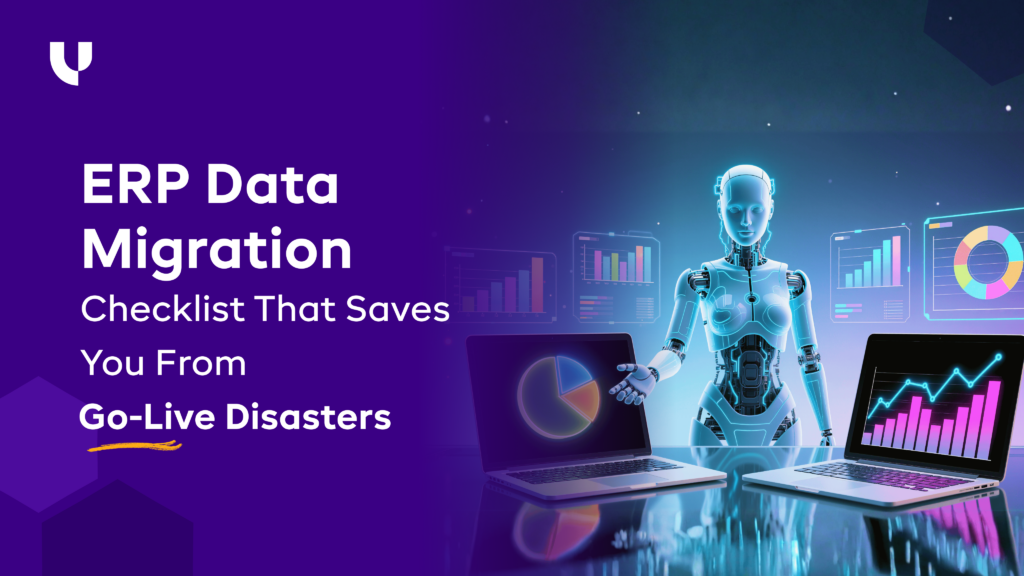
ERP Data Migration Checklist That Saves You From Go-Live Disasters
Published on January 22nd 2026
Introduction
You’ve probably heard this line many times:
“Data migration is the toughest part of any ERP implementation.”
Interestingly, it’s true - but not for the reasons most teams expect.
ERP data migration doesn’t fail due to gaps between platforms. It fails because most migrations miss critical early steps, assumptions go unchecked, and teams move forward without a clear migration checklist. That’s why companies often spend months after go-live fixing issues that should have been identified much earlier.
In this guide, we provide a practical checklist that helps you prepare, validate, and migrate data with far fewer surprises; long before go-live becomes a risk.
The 3-Stage ERP Data Migration Checklist
Data migration can be meticulous work. Moving information related to products, customers, and suppliers without proper decision-making or ownership can lead to failure much earlier. That’s why a reliable ERP data migration checklist is split across three stages: before, during, and after migration.
Stage I - Before Migration
Most ERP data migration failures don’t happen during go-live. They are quietly set in motion weeks earlier, when teams rush into execution without alignment, ownership, or clarity.
The “before migration” stage exists to eliminate that risk. This phase focuses on slowing down just enough to make the right decisions, so the rest of the migration can proceed faster and more transparently.
Define a Clear Purpose of Migration (Not Every File Deserves a New Home)
Before any data moves, you must have a clear answer to this one question:
‘Why is this data being migrated?’
Not every file, record, or historical transaction belongs in the new ERP. Folders containing historical data that don’t contribute to your current systems shouldn’t be migrated to the new platform.
Migrating everything creates clutter, increases risk, and slows performance. A focused migration starts by deciding what actively supports today’s operations and what does not.
During your research, it’s best to explicitly separate data that must move from data that should be archived.
Here’s a simple tabular representation to help you choose between what to migrate and archive:
| Data Type | Migrate | Archive | Why |
|---|---|---|---|
| Active customers & vendors | Yes | - | Essential for daily transactions |
| Open sales & purchase orders | Yes | - | Impacts current workflows |
| Recent closed transactions | - | - | Needed only for reporting |
| Old transactional history | - | Yes | Rarely used, increases complexity |
| Legacy audit logs | - | Yes | Required for compliance, not operations |
Define One Version of Data Everyone Must Use
Once your data inputs are identified, the next step is to remove ambiguity.
In most ERP data migration failures we see, the problem is not the ERP. It is that different teams rely on different sources. Finance works off one spreadsheet, operations maintain another, and critical details live in inboxes or with “the one person who knows”.
When multiple versions of the same data exist, migration errors are almost guaranteed ,which experienced Odoo consultants help prevent.
To avoid this, establish a single source of truth before migration begins. One dataset that everyone references, updates, and validates against.
Before you move ahead, make sure the following are clearly defined and locked:
- Master data fields and their definitions
- Standard data formats (dates, currencies, codes, naming conventions)
- Clear ownership for each dataset
- Validation and approval rules
- Simple documentation written for business users, not just IT
When everyone works from the same data foundation, migration becomes predictable, testing becomes faster, and go-live issues reduce drastically.
Clean Up Data (The Real Insurance of Data Migration)
No ERP can compensate for messy data.
Before migration, most databases look usable on the surface but hide serious issues underneath. Duplicate records, inconsistent naming, wrong units, incomplete fields, and outdated entries quietly make their way into the new system if not addressed early.
Once this data moves into the ERP, problems multiply. Reports stop matching. Automation fails. Teams lose trust in the system within weeks of go-live.
Data cleanup is not a cosmetic exercise. It is risk management.
This step ensures only accurate, usable, and relevant data enters the new ERP, so processes work as expected from day one.
Common cleanup activities include:
- Removing duplicate customer, vendor, and item records
- Correcting typos and inconsistent naming conventions
- Standardizing units of measure and currencies
- Filling mandatory fields required by the ERP
- Archiving obsolete or inactive records
Ignoring these issues may seem harmless during migration planning, but the impact becomes visible immediately after go-live.
What Happens If Data Isn’t Cleaned Early:
| Data Issue | What You’ll Face During Migration | What It Leads To After Go-Live |
|---|---|---|
| Duplicate records | Conflicting IDs and mapping errors | Duplicate invoices, double payments, incorrect stock |
| Typos and inconsistent names | Failed validations and mismatched fields | Inaccurate reports and broken searches |
| Wrong units of measure | Conversion errors during migration | Incorrect inventory levels and planning errors |
| Missing mandatory fields | Migration failures or partial data loads | Incomplete transactions and process breakdowns |
| Outdated or inactive data | Longer migration cycles and testing delays | Cluttered dashboards and poor decision-making |
| Unvalidated legacy data | Repeated rework during UAT | Loss of trust in ERP data and manual workarounds |
Assign Ownership (Migration Fails When Responsibility Is Unclear)
ERP data migration is not just a technical task. It is a responsibility problem.
When no one clearly owns the data, decisions stall. Questions go unanswered. Validation gets delayed. Teams assume someone else will fix the issue. This is when migrations slip timelines or fail quietly.
IT may handle the migration process, but business teams understand the data. Without defined ownership, even small issues like incorrect fields or missing values can turn into major blockers.
To avoid this, assign clear ownership before migration begins.
Every dataset must have:
- A business owner who understands the data and its usage
- A decision-maker who can approve changes and resolve conflicts
- A validator responsible for reviewing and signing off migrated data
Ownership should not be shared vaguely across departments. One person must be accountable for each dataset.
Typical ownership areas include:
- Customer and vendor master data
- Chart of accounts and financial structures
- Inventory, BOMs, and units of measure
- Pricing, contracts, and historical transactions
When ownership is clear, decisions happen faster, testing cycles shorten, and issues get resolved before they reach go-live.
Clear accountability turns migration from a guessing game into a controlled process.
Run a Mock Migration (The Safest Way to Expose Weak Links)
No ERP data migration works the first time. That is normal.
What turns this into a disaster is discovering issues for the first time on go-live day.
A mock migration is a controlled trial run where you migrate a subset (or full copy) of real data into a test environment. It exposes problems that no document review or planning workshop can catch.
This is where hidden issues surface:
- Fields that don’t map correctly
- Data that passes validation but breaks reports
- Missing dependencies between modules
- Performance slowdowns with real data volumes
A mock migration helps you answer critical questions early:
- Which data fails to migrate, and why
- Where manual corrections are required
- Whether reports and workflows behave as expected
- How long the actual migration will take
Run at least one end-to-end mock migration, followed by:
- Business validation by data owners
- Report reconciliation against legacy systems
- Adjustments to mapping, rules, and cleanup logic
Each mock run should reduce unknowns, not just “test the tool.”
By the time you reach go-live, migration should feel familiar, predictable, and repeatable. If go-live is your first full migration run, you are already taking a risk.
Stage 2: During Migration - Where Control Matters More Than Speed
The migration phase is where most teams feel pressure to “just get it done.” Timelines tighten, dependencies overlap, and multiple teams start working in parallel. Without strict controls, inconsistencies creep in, and audits become painful.
This stage is not about speed. It’s about precision, validation, and discipline.
Validate Data in Real Time (Not Just at UAT)
UAT should confirm stability, not uncover basic data problems.
When validation is postponed until UAT, issues tend to pile up. By then, data has already moved through multiple modules, reports depend on it, and fixing even small errors requires rerunning migrations or reworking dependencies.
Real-time validation means checking data as it moves, not weeks later.
This includes:
- Verifying record counts immediately after each migration run
- Reconciling balances, quantities, and totals with legacy systems
- Reviewing sample records for correctness, not just completeness
Catching issues early keeps them isolated. Waiting for UAT turns minor mismatches into system-wide problems.
UAT should be about business confidence, not data firefighting.
Freeze One System… Or Prepare for Audit Nightmares
Data migration cannot succeed if the data keeps changing.
One of the most common causes of post-go-live reconciliation issues is allowing updates in the legacy system while migration activities are ongoing. Numbers stop matching, transactions go missing, and audit trails become unclear.
To avoid this, a controlled data freeze is non-negotiable.
A proper freeze means:
- Clearly defining which data sets are frozen and when
- Communicating freeze timelines well in advance
- Allowing only critical, logged exceptions with approvals
Without a freeze, teams spend weeks explaining variances instead of using the ERP. For finance and compliance teams, this creates long-term audit and reporting risks.
A short, well-managed freeze is far safer than months of cleanup later.
Read Error Logs Like They’re Warning Signs (Because They Are)
A “successful” migration does not mean an error-free migration.
Many migration tools load data while quietly logging warnings, skipped records, or auto-corrected values. These logs are often ignored because the data appears to be present in the system.
This is a mistake.
Error and warning logs often indicate:
- Records that were skipped due to format issues
- Fields that were truncated or defaulted
- Relationships that failed to map correctly
These issues rarely stay isolated. They show up later as broken reports, missing transactions, or process failures.
Treat logs as diagnostic reports. Every warning deserves review, explanation, and resolution before moving forward.
Testing Must Mirror Reality Check
Testing with perfect data creates false confidence.
If testing is done using cleaned-up samples or limited datasets, real business scenarios will break the system after go-live. ERP systems are stressed not by ideal transactions, but by exceptions, volume, and inconsistencies.
Testing must reflect how the business actually operates.
This means testing with:
- Real data volumes, not small samples
- Historical transactions across multiple periods
- Exceptions such as partial deliveries, adjustments, and corrections
If testing does not feel uncomfortable, it is probably not realistic enough.
The goal is not to prove the system works in theory, but to confirm it works under real operational pressure.
Bring All Teams Together (Because Data Doesn’t Belong to One Function)
ERP data does not sit in silos, even if teams do.
Finance may own numbers, operations manage quantities, sales control customer data, and IT handles systems. Migration issues arise when each team validates data in isolation.
Data that looks correct to one team may break another team’s workflow.
To avoid this:
- Involve all functional teams in validation reviews
- Conduct joint reconciliation sessions
- Ensure cross-team sign-off before go-live
When teams validate together, gaps surface early. When they validate separately, those gaps appear after go-live.
ERP success depends on shared understanding, not departmental sign-offs.
Stage 3: After Migration
Many teams assume ERP migration ends at go-live, but post-migration support and stabilization are essential parts of Odoo success. In reality, this phase determines whether users trust the system or quietly revert to spreadsheets. The after-migration stage exists to validate, stabilize, and confirm that the ERP truly supports real business operations.
Run a First-Level Review Before Anything Else
Before business teams begin validation, run a basic sanity check.
This first-level review is not about business logic or process approval. It is about confirming that the migration has technically and structurally succeeded before deeper testing begins.
This review should confirm:
- Record counts match between legacy and ERP
- Mandatory fields are populated
- Key relationships (customers, vendors, items) exist correctly
- No critical errors remain unresolved in logs
Skipping this step pushes obvious issues into business testing, wasting time and creating unnecessary confusion.
A clean first-level review ensures business teams focus on meaning and accuracy, not broken data loads.
Run Real Transactions on Day One (Not Dummy Ones)
Dummy transactions give false comfort.
On day one, teams should execute real, end-to-end business transactions in the ERP. This is the only way to confirm that data, configurations, and workflows truly work together.
Real transactions expose:
- Posting issues across modules
- Incorrect defaults or account mappings
- Workflow breakdowns that testing missed
This includes creating actual invoices, purchase orders, inventory movements, and financial postings that mirror live operations.
If the system cannot handle real transactions on day one, the issue is not user readiness. It is migration or configuration gaps that need immediate attention.
Compare Old System vs New System Numbers
Trust in the ERP starts with matching numbers.
Immediately after migration, key metrics must be compared between the legacy system and the ERP. This comparison is not optional, especially for finance, inventory, and compliance-heavy businesses.
Critical comparisons include:
- Opening balances and closing balances
- Inventory quantities and valuations
- Outstanding receivables and payables
- Historical transaction totals
Even small mismatches should be investigated, not ignored. Unexplained differences grow over time and become difficult to trace.
Early reconciliation ensures reporting confidence and prevents long-term data disputes.
Ask the Users Who Use ERP Daily to Approve It
Approval should come from users, not just leadership.
Power users interact with the ERP every day. They understand whether screens make sense, reports reflect reality, and workflows align with actual operations.
Before go-live:
- Ask daily users to validate data and processes
- Capture their feedback on usability and gaps
- Get explicit sign-off, not assumed acceptance
When daily users approve the system, adoption improves and resistance drops. When they are excluded, workarounds begin almost immediately.
User approval is one of the strongest predictors of ERP success.
Plan a 4-Week Stabilization Phase
Go-live is not the finish line. It is the beginning.
The first four weeks after go-live determine whether the ERP becomes a reliable system or a constant source of frustration. This period should be planned, staffed, and monitored deliberately.
A stabilization phase should include:
- Daily issue tracking and prioritization
- Quick turnaround on fixes and configuration tweaks
- Close monitoring of reports and transactions
- Continuous support for users adapting to the system
Without a stabilization plan, small issues compound and erode trust quickly.
A structured 4-week stabilization phase ensures the ERP settles into daily operations smoothly and confidently.
Red Flags for ERP Data Migration (Print This Checklist and Keep It on Your Desk)
These red flags usually show up quietly during planning calls, data discussions, or “we’ll handle it later” moments. If you spot even two or three of them, your ERP data migration is already moving toward a go-live mess.
#1 Migrating All Data Instead of Curated, High-Quality Data
Teams often migrate everything from the legacy system out of fear of missing something. This includes outdated customers, inactive vendors, and years of unvalidated records. The result is larger datasets, longer testing cycles, and hidden errors.
What to do: Review legacy data carefully and migrate only what supports current operations, compliance, and reporting. Implementing a structured odoo erp data migration strategy allows you to audit your records effectively and archive older or unused data outside the live ERP environment.
What improves: Migration becomes faster, validation becomes manageable, and the ERP starts with cleaner, more reliable data.
#2 Skipping Mock Migrations
What goes wrong:
When mock migrations are skipped, go-live becomes the first real test. Field mismatches, dependency issues, and data gaps surface too late, when fixes are disruptive.
What to do:
Run at least one full mock migration using real data. Validate results with business owners and refine mappings and cleanup rules before the next run.
What improves:
Issues are resolved early, timelines stabilize, and go-live becomes predictable instead of reactive.
#3 Ignoring the Need for a Data Freeze
What goes wrong:
If data keeps changing in the legacy system during migration, balances and reports stop matching. Reconciliation becomes painful and audit trails weaken.
What to do:
Define a clear data freeze window. Communicate it early and allow only approved, logged exceptions.
What improves:
Clean cutover, accurate opening balances, and audit-ready data from day one.
#4 Avoiding Cross-Team Validation
What goes wrong:
Validation done in silos misses how data flows across teams. Finance may approve numbers that break operations, or sales data may disrupt downstream processes.
What to do:
Conduct joint validation sessions with finance, operations, sales, and IT. Validate data end-to-end, not function by function.
What improves:
Fewer post-go-live surprises and stronger confidence across all teams.
#5 Using Poorly Replicated Environments
What goes wrong:
Testing in environments that don’t match production hides real issues. Differences in configuration or data volume give a false sense of readiness.
What to do:
Ensure test environments mirror production as closely as possible, including integrations and realistic data volumes.
What improves:
Testing reflects real conditions, reducing performance and functional issues after go-live.
#6 Maintaining Inconsistent Units of Measure
What goes wrong:
Different units used across systems or teams cause silent errors in inventory, costing, and planning.
What to do:
Standardize units of measure before migration and define clear conversion rules. Validate them during mock migrations.
What improves:
Accurate inventory data and reliable operational and financial reports.
#7 Applying Wrong Tax Mappings
What goes wrong:
Incorrect or assumed tax configurations often surface after go-live, creating compliance risks and rework.
What to do:
Validate tax mappings with finance teams using real transaction scenarios, not just standard cases.
What improves:
Correct tax calculations, compliant reporting, and reduced risk of post-go-live corrections.
#8 Missing Opening Balances
What goes wrong:
Rushed or unreconciled opening balances undermine trust in ERP reports from the start.
What to do:
Reconcile balances thoroughly, get formal approvals, and lock them before transactions begin.
What improves:
Reliable financial reporting and a stable foundation for all future transactions.
Final Words: Your Data Migration Will Not Go Wrong if You Follow a Process
ERP data migrations rarely fail on go-live; they fail weeks earlier when assumptions replace clarity. The key to success is following a structured process, validating decisions, and addressing issues early.
At Uncanny, we specialize in Odoo ERP migrations, helping businesses move data with confidence, accuracy, and minimal disruption. From data preparation to mock migrations and post-go-live support, we ensure a seamless transition.
That specialization is independently backed, Uncanny is recognized by Clutch as a Top ERP Company in 2026, with verified client reviews from businesses who've trusted us with their most critical data transitions.
Contact ustoday to plan your Odoo migration with precision and control.
Want to start a project with us?
Empowering businesses to achieve greatness through strategic guidance and innovative solutions.
Book A Demo
FAQs - Quick, Honest, and Non-Technical Answers
Q. Do you need 5–10 years of old data in your new ERP?
In most cases, no. Old data rarely supports daily operations. Migrating only active and relevant data keeps the ERP clean, fast, and easier to manage. Older records can be archived for reference or compliance.
Q. Can the ERP automatically fix dirty data?
No. An ERP can enforce rules, but it cannot correct duplicates, missing fields, or wrong formats on its own. Dirty data must be cleaned before migration, or the same issues will recur in the new system.
Q. When should you freeze the old system?
You should freeze the old system just before final migration begins. This prevents data from changing mid-process and ensures balances, transactions, and reports reconcile correctly during go-live and audits.
Q. Should you migrate transactional history?
Only if it actively supports reporting, compliance, or decision-making. Migrating all historical transactions increases risk and effort. Most businesses migrate recent or open transactions and archive older history separately.
Q. What if your test migration passes but production fails?
This usually means testing didn’t reflect real conditions. Production failures occur when test environments lack realistic volume, user load, or workflows. Testing must mirror reality, not ideal scenarios.

About Author
Sanjay Gohel is the Head of Department – Odoo at UNCANNY Consulting Services, specializing in ERP implementation, Odoo development, and software solutions. He helps businesses improve efficiency through customized ERP systems designed to streamline workflows and support operational excellence.


Sanjay Gohel is the Head of Department – Odoo at UNCANNY Consulting Services, specializing in ERP implementation, Odoo development, and software solutions. He helps businesses improve efficiency through customized ERP systems designed to streamline workflows and support operational excellence.