How to Choose an ERP System in 2026: A Step-by-Step Guide for CTOs and Decision-Makers
Published on July 24th 2025
Introduction
Selecting the right ERP system is one of the most critical decisions an organization can make. ERP (Enterprise Resource Planning) systems are the backbone of modern business operations. ERPs unify finance, HR, supply chain, production, sales, and customer service into a single platform, providing visibility, control, and efficiency across the enterprise.
The right ERP system enables faster decision-making, scalable growth, and operational excellence. On the other side, the wrong ERP system can create inefficiencies, high costs, low adoption, and missed opportunities.
Choosing an ERP is less about picking a brand and more about understanding how it will fit your workflows, help people reduce their manual processes, and support future growth. A system aligned with your business priorities reduces manual work and accelerates ROI from day one.
This guide offers a practical, step-by-step framework for choosing the right ERP system in 2026, designed especially for decision-makers like you.
Why Selecting the Right ERP System Is Critical
Choosing an ERP is a strategic decision that influences how your teams operate, how quickly you scale, and how resilient your business becomes. And when the selection goes wrong, the impact shows up everywhere.
To help you avoid those pitfalls, here’s a straightforward guide on
why ERP implementations fail and how you can prevent it.
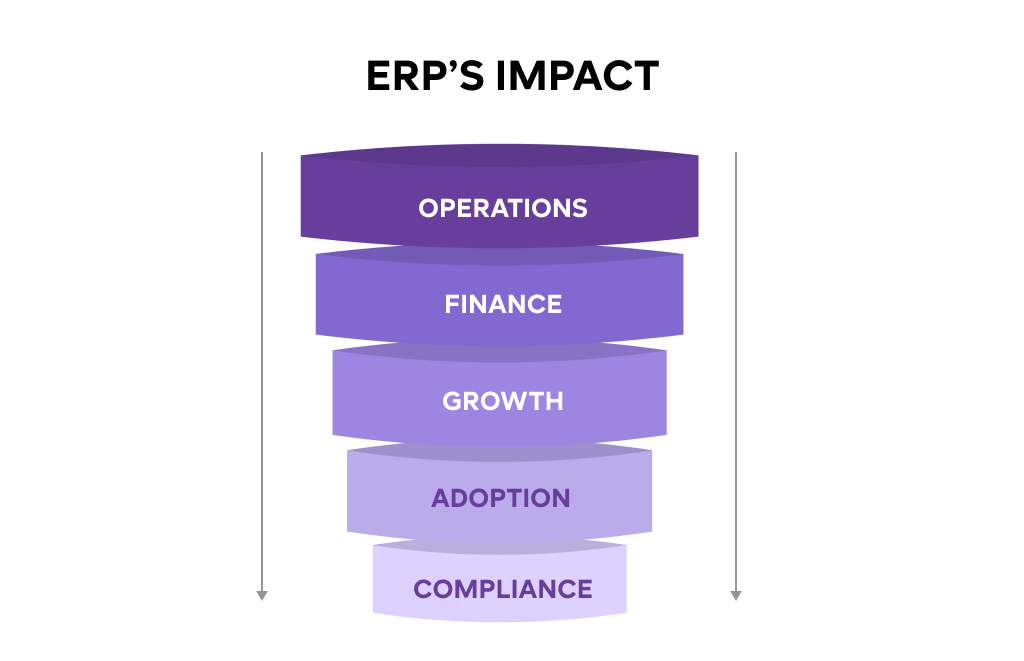
Key Impacts of ERP Selection
- Operational Efficiency: A misaligned ERP creates bottlenecks, increases manual work, and slows down processes.
- Financial Performance: ERP implementations are expensive. Misaligned systems can lead to cost overruns and low ROI.
- Scalability and Growth: The right ERP should support multi-location operations, multiple currencies, and additional modules as your business expands.
- User Adoption: Complex or poorly designed systems are underutilized, reducing expected benefits.
- Regulatory Compliance: Certain industries require ERP modules for legal compliance. Choosing the wrong system can risk audits and penalties.
Let’s co-create your ERP success roadmap
We don’t just implement ERPs. We build long-term partnerships that lead to scalable systems and sustainable growth. Curious about what that looks like for your business?
Book a Free Discovery Call
How to Choose an ERP System: 9 Practical Ways to Make the Right Decision
Selecting the right ERP system is more than picking a software; it’s about matching technology to your business needs, processes, and future growth plans. Below are actionable ways to approach ERP selection systematically.
Define Your Business Objectives and Success Metrics
Clear objectives set the foundation for ERP success. Without them, companies risk choosing a system that solves the wrong problems or fails to deliver measurable ROI. If you want to start small and scale smartly, consider applying principles from our ERP MVP playbook to prioritize features and modules.
How to approach it:
- Identify business priorities: Make a list of key areas you want to improve, such as operational efficiency, real-time reporting, regulatory compliance, multi-location management, or enhancing customer experience.
- Rank objectives: Determine which priorities have the highest strategic impact. For example, reducing inventory errors may be critical for a distribution business, whereas improving customer engagement could be the top priority for a service company.
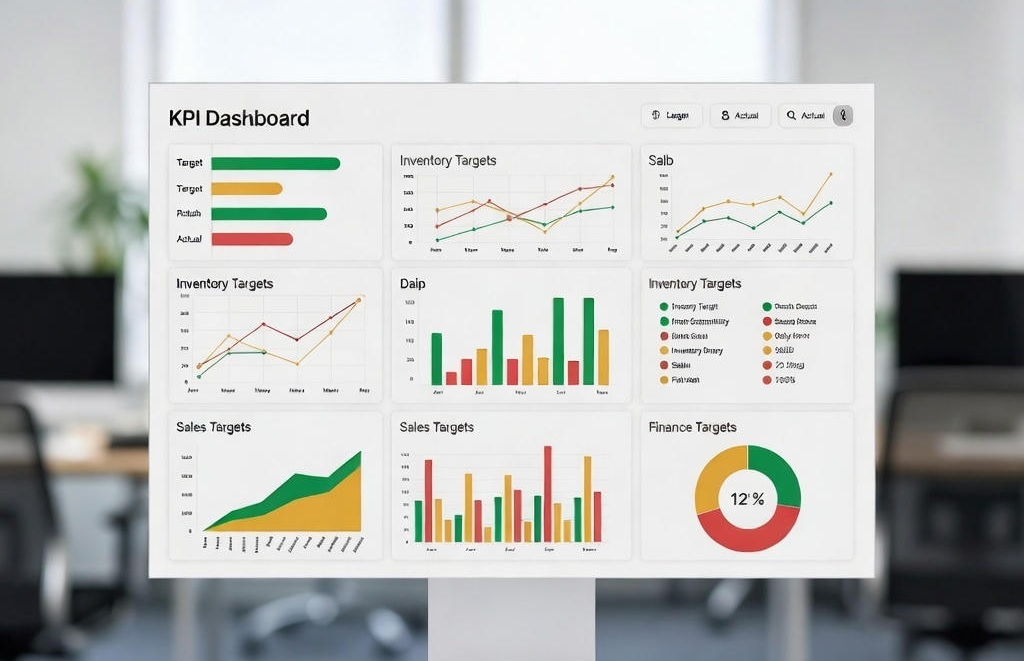
- Define KPIs: Assign measurable metrics for each objective. Common KPIs may include inventory accuracy, order fulfillment time, invoice processing speed, or production throughput.
Tip: Create a one-page ERP Goals & Metrics Sheet to guide discussions with vendors and stakeholders.
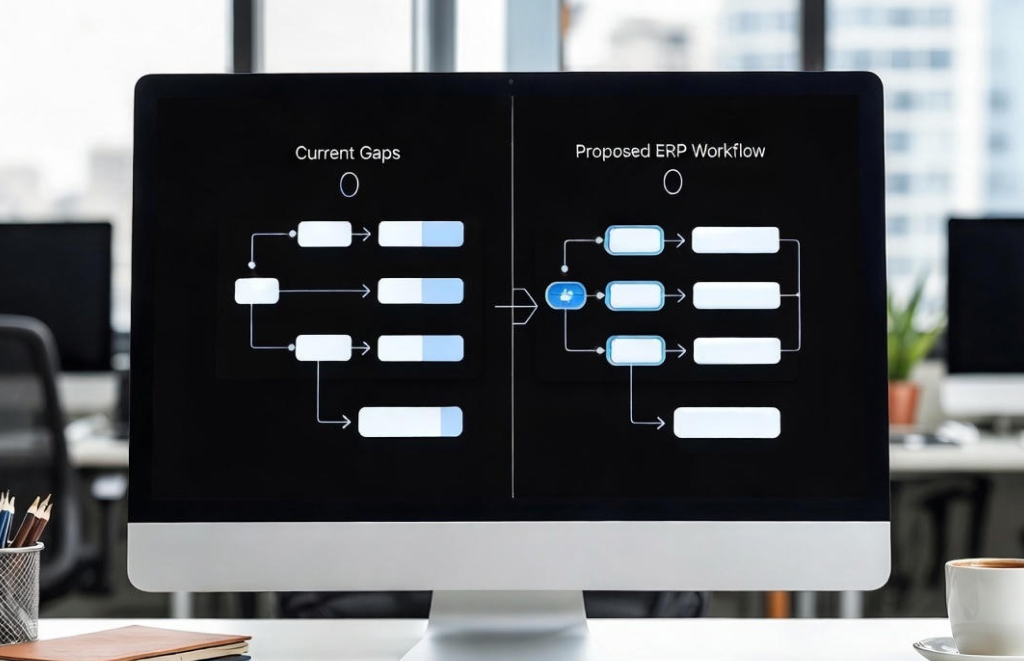
Map Current Processes and Identify Gaps
Understanding current workflows is critical to ensure the
ERP aligns with your business rather than forcing teams to adapt unnaturally.
Steps to follow:
- Document workflows: Map processes for finance, HR, procurement, production, sales, and customer service.
- Highlight inefficiencies: Identify repetitive tasks, bottlenecks, and manual interventions.
- Categorize features: List ERP features as Must-Have, Important, or Optional.
- Include future requirements: Consider multi-site operations, multi-currency, or multi-language needs.
Here’s how you can Prioritize Features
| Feature | Priority | Business Impact |
|---|---|---|
| Inventory Management | Must-Have | Reduces stockouts and manual tracking |
| Automated Invoicing | Must-Have | Speeds up cash flow |
| HR Payroll Integration | Important | Ensures compliance |
| Customer Portal | Optional | Enhances engagement |
Shortlist Vendors Based on Industry Fit
Vendor expertise can make or break an ERP implementation. Systems tailored to your industry streamline processes and meet compliance standards. When evaluating vendors, partnering with expert
ERP consultants can help ensure the ERP aligns with your industry-specific needs and compliance requirements.
Steps to follow:
- Review case studies and references specific to your industry.
- Confirm whether the vendor offers post-implementation support and has a clear upgrade roadmap.
- Request proof-of-concept or pilot demonstrations to validate fit.
Tip: Shortlist 3–5 vendors with strong industry experience to simplify evaluation.
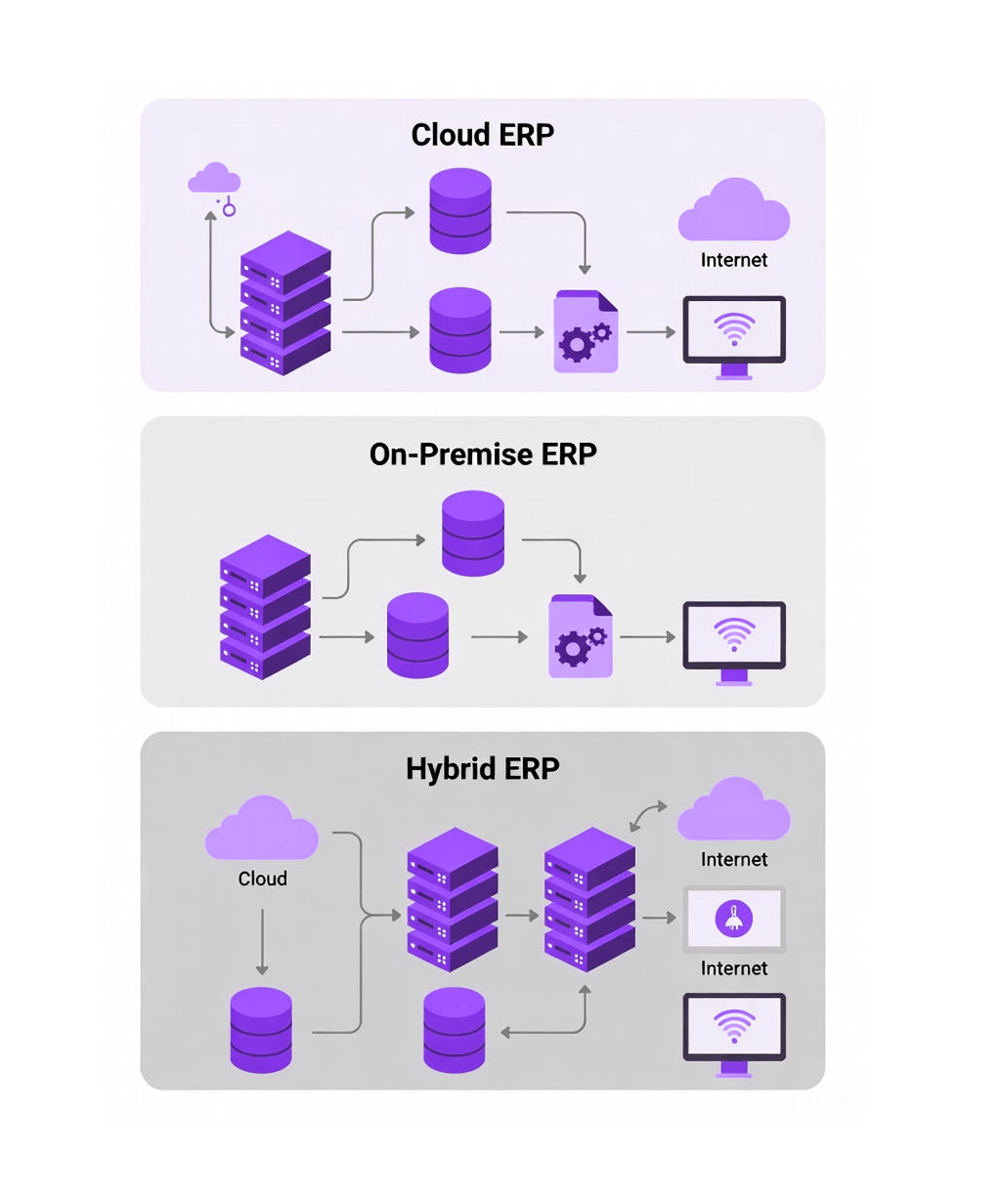
Decide Deployment Type and Integration Needs
The deployment type affects cost, scalability, security, and the ability to integrate with existing systems.
Options to consider:
- Cloud ERP: Quick setup, subscription-based, and accessible remotely.
- On-Premise ERP: Full control, secure, and suitable for regulated industries.
- Hybrid ERP: Combines cloud and on-premise to balance flexibility and control.
Integration assessment: Check how the ERP integrates with CRM, HRMS, e-commerce, warehouse systems, and other core tools.
Pros and Cons of Deployment Type
| Deployment Type | Pros | Cons | Ideal For |
|---|---|---|---|
| Cloud | Scalable, low upfront cost | Limited control | Growing multi-location businesses |
| On-Premise | Secure, compliant | High upfront cost | Regulated industries |
| Hybrid | Flexible, balanced | Complex management | Businesses with mixed needs |
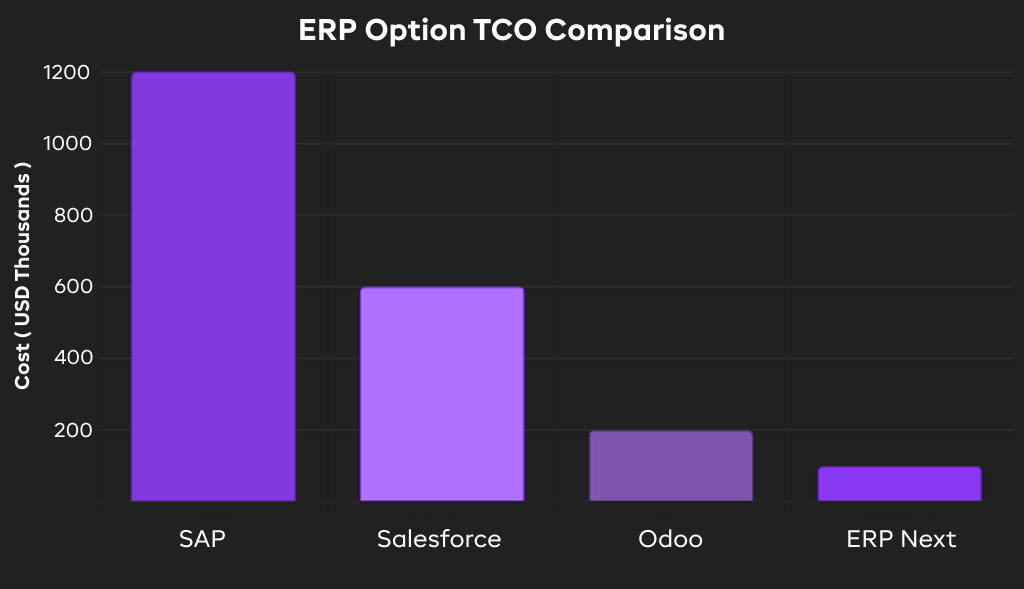
Evaluate Total Cost of Ownership (TCO) and Scalability
While selecting an ERP, you must consider long-term costs, and not just license fees.
Steps to follow:
- Calculate 3–5 year TCO, including licensing, implementation, training, maintenance, and customization.
- Evaluate scalability for additional users, modules, and sites.
- Include integration costs and potential future customizations.
Assess User Experience and Adoption Potential
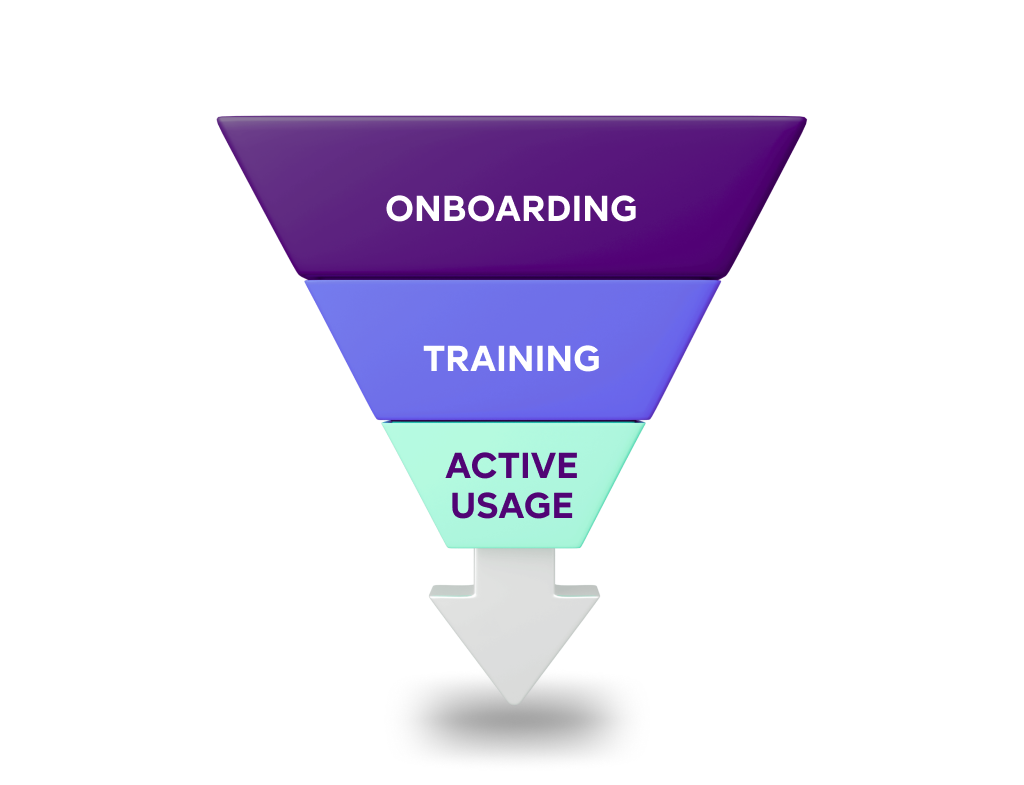
A technically strong ERP fails if users struggle to adopt it in their day-to-day activities.
Key considerations:
- Evaluate interface usability and workflow intuitiveness.
- Conduct pilot testing with real users to gather feedback.
- Implement structured training programs and appoint departmental champions.
- Roll out the system in phases to minimize disruption.
Run a Pilot or Proof-of-Concept
Pilots reveal gaps, integration issues, and usability challenges before full deployment.
Steps to follow:
- Test core modules with actual operational data.
- Validate reporting, integrations, and user experience.
- Adjust configuration based on pilot results to ensure smooth deployment.
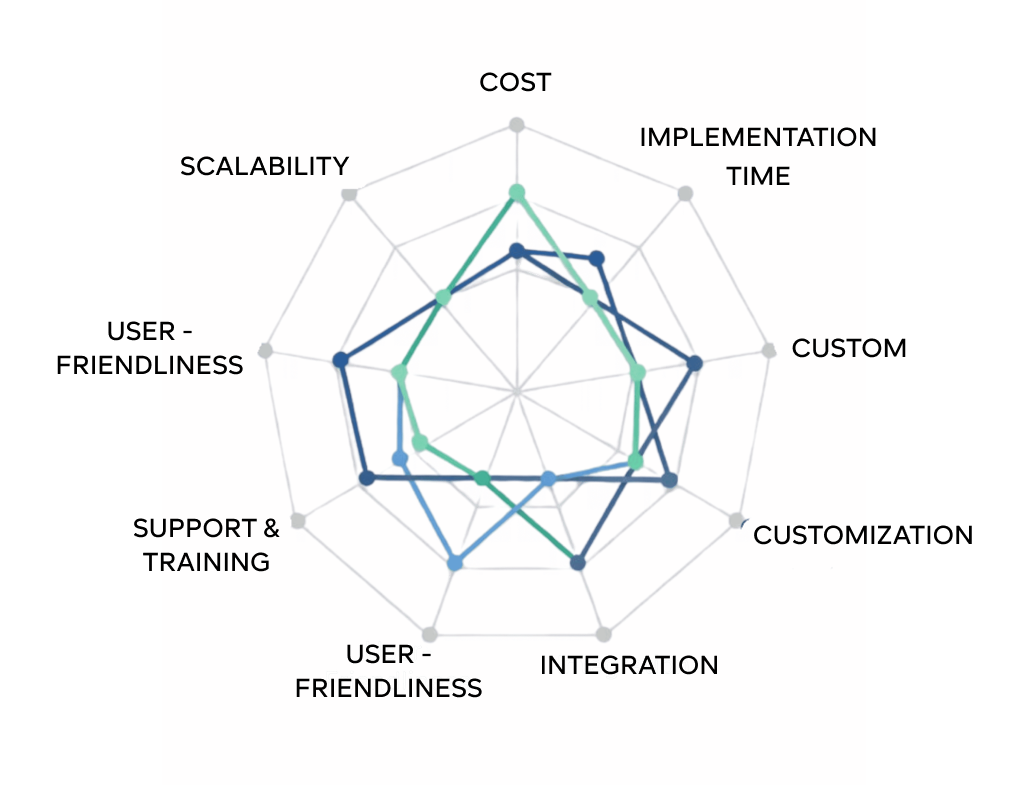
Score ERP Options Objectively
Objective scoring reduces bias and ensures you select the ERP that truly fits your business.
Steps to follow:
- Score ERP options on business fit, technical fit, user experience, TCO, scalability, and vendor credibility.
- Use a 1–5 rating scale and calculate total scores for comparison.
Plan Phased Rollout and Post-Implementation Review
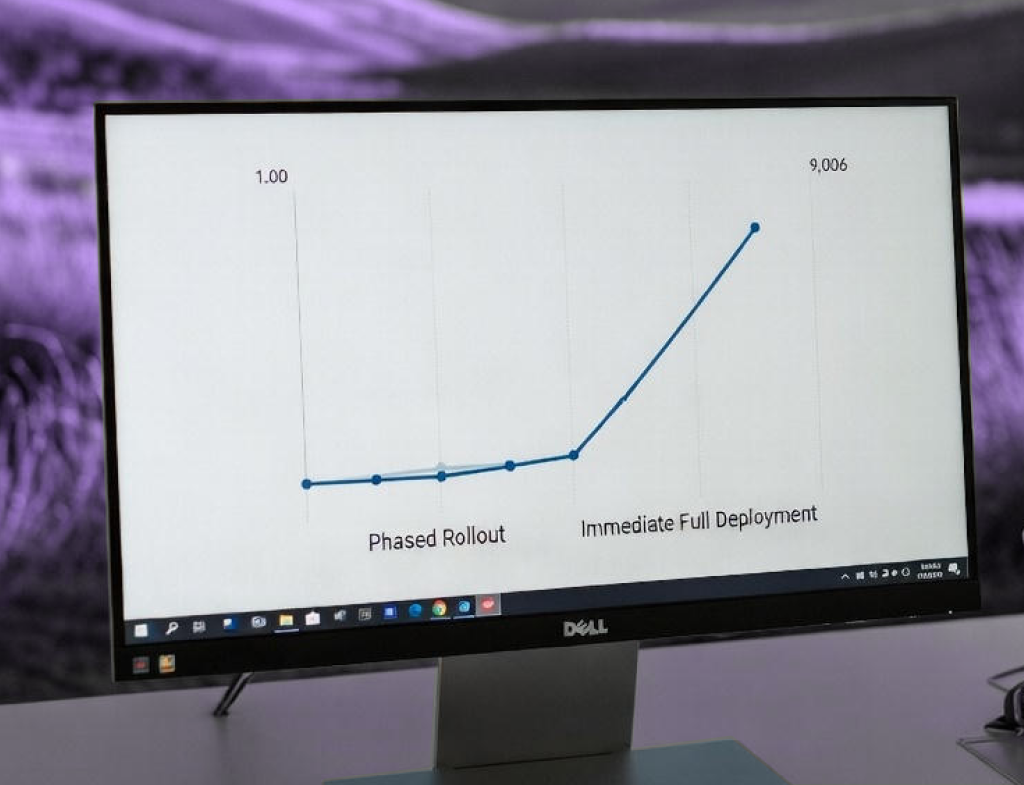
A phased rollout minimizes disruption and ensures adoption. Following structured phases aligns with stages of ERP implementation best practices, reducing disruption and improving adoption across teams.
Steps to follow:
- Implement modules in phases with proper training and documentation.
- Monitor KPIs post-deployment to measure ROI and track improvements.
- Adjust processes as needed to optimize outcomes.
Smart Approaches to Choosing the Right ERP
Selecting the right ERP system can feel overwhelming, but a few practical approaches make the process smoother and more effective. Here are some tips to guide your decision:
1. Focus on Business Fit, Not Just Features
Not every ERP module is necessary. Prioritize the system’s ability to solve your core business problems over having the latest bells and whistles. Make a clear list of your essential business objectives and ensure your ERP aligns with them.
2. Limit Customizations
Customizing an ERP might seem like a way to perfectly match your processes, but it often leads to higher costs, longer timelines, and complicated upgrades. Aim for solutions that require minimal adjustments while still supporting your workflows.
3. Plan for User Adoption Early
Even the best ERP fails if your team struggles to use it. Begin preparing employees early with training sessions, clear documentation, and departmental champions who can guide others during rollout.
4. Consider Long-Term Scalability
Your business is growing, and your ERP should grow with it. Look for a system that can accommodate additional users, locations, and modules without requiring a complete replacement. Checking the vendor’s roadmap for scalability is critical.
5. Test Before Full Deployment
Pilots or proofs-of-concept reveal hidden gaps and integration issues before they impact your operations. Testing core modules with real operational data builds confidence and allows you to refine the setup before going live.
What to Watch Out for During ERP Selection
-
Integration Gaps
ERPs rarely function in isolation. Without seamless integration with CRM, HR, e-commerce, or warehouse systems, you risk duplicated efforts and inconsistent data. -
Underestimating Total Cost of Ownership
The license fee is just the start. Consider implementation, training, maintenance, future upgrades, and possible customizations. Overlooking these costs can lead to budget overruns. -
Complexity Leading to Low Adoption
A technically capable system may fail if it is difficult to navigate. Look for ERPs with intuitive interfaces and streamlined workflows to encourage daily use and productivity. -
Relying Solely on Brand Reputation
A popular ERP does not automatically guarantee the best fit for your business. Evaluate each system based on functionality, industry experience, and support, not just brand recognition. -
Skipping Pilot Testing
Jumping straight into full deployment without testing increases risk. Pilots help identify mismatches, integration gaps, and potential data challenges early.
Questions You Must Ask ERP Vendors Before Deciding
Clear communication with vendors ensures your ERP investment meets expectations. Here’s what to cover:
-
Implementation Scope and Costs
Understand exactly what the vendor will deliver and identify any additional costs for data migration, training, or modules. -
Integration Capabilities
Ask about integration with your current systems and how data will flow between platforms. Check for native connectors or API support. -
Upgrade Frequency and Roadmap
Know how often updates occur and whether upgrades will be seamless. A predictable roadmap ensures your system remains current without disruptions. -
Support and Training
Clarify available support channels, training programs, and service-level agreements. Ongoing support is crucial for smooth operations. -
Customization Flexibility
Understand how easily the system can be customized without affecting future updates or creating maintenance headaches. -
Pilot and Testing Opportunities
Ask if the vendor provides a chance to run a pilot with real operational data. This validates fit and identifies potential adjustments before full deployment.
Let Uncanny Guide Your ERP Journey
Selecting the right ERP system is a strategic, high-stakes decision. The ideal ERP aligns with your workflows, scales with growth, improves efficiency, and ensures user adoption.
Uncanny’s approach combines process expertise, vendor insights, and implementation guidance to help decision-makers like you make informed choices. From mapping current processes to scoring ERP options objectively, Uncanny ensures your ERP investment delivers measurable ROI and long-term value.
Partnering with Uncanny means your business will choose an ERP that fits today and scales for tomorrow. Let our ERP experts guide you through selection, pilot testing, rollout, and adoption to transform operations and support growth. Contact us today.
FAQs – Questions People Ask About Choosing an ERP
How do I choose the best ERP system for my company?
Choosing the right ERP involves defining business objectives, mapping workflows, evaluating vendors, comparing deployment options, and considering TCO and scalability. Uncanny’s ERP expertise ensures each step aligns with your growth and operational goals. Learn more in our ERP MVP playbook for a structured approach.
What are the key factors to consider before picking an ERP solution?
Focus on business fit, ease of use, scalability, integration with existing tools, vendor reliability, and long-term TCO. Choosing a system that supports your workflows is more important than flashy features.
How can I make sure my team will actually use the ERP system?
Successful adoption requires structured training, departmental champions, and phased rollout. Uncanny recommends testing with a pilot group to identify gaps early and improve engagement.
Cloud ERP vs. on-premise vs. hybrid - which is better for my business?
The choice depends on your business needs: Cloud offers scalability and low upfront cost, On-Premise provides full control and security, and Hybrid balances flexibility with compliance. Integration and long-term growth should guide your decision.
How do I calculate the total cost of ownership for an ERP system?
TCO includes licenses, implementation, training, customization, maintenance, and upgrades over 3–5 years. Uncanny helps businesses forecast realistic costs to avoid budget surprises.
What questions should I ask ERP vendors before making a decision?
Ask about implementation scope, integration capabilities, upgrade roadmap, support and training, customization flexibility, and pilot testing opportunities. These questions uncover hidden costs and potential challenges.
How do I know if an ERP system will scale with my business?
Check if it supports additional users, modules, sites, and multi-currency operations. Review the vendor’s roadmap and flexibility for future customizations. Uncanny ensures ERP selection aligns with long-term growth.
Can a poorly chosen ERP really become challenging for my business?
Yes. A misaligned ERP can increase manual work, reduce efficiency, lower adoption, and cause cost overruns. Strategic selection and expert guidance by an expert ERP implementation partner can prevent these pitfalls.
What’s the step-by-step approach to picking an ERP that fits my workflows?
Define business objectives → map current processes → shortlist vendors → decide deployment type → evaluate TCO → assess user experience → pilot test → score options → phased rollout. Each step ensures your ERP works for your business.
How can I compare multiple ERP options effectively?
Use objective scoring across criteria like business fit, technical capabilities, UX, scalability, vendor support, and TCO. Uncanny uses weighted matrices to simplify comparison and reduce bias.

About Author