We’re heading to NRF 2025 APAC!Click here to see where to find the Uncanny team in Singapore.

Things to keep in mind before migrating to Odoo 16

Published on November 22nd 2022
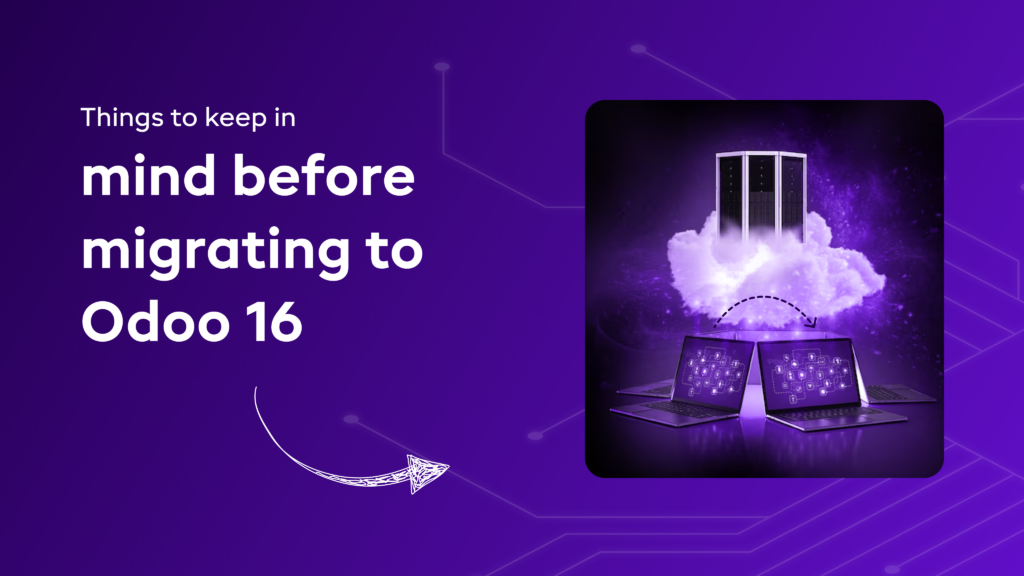
Things to keep in mind before migrating to Odoo 16

Summary

Odoo comes up with new versions every year. This year Odoo came up with the latest version Odoo 16 at the Odoo Experience Event. In all these years, Odoo has proved to be one of the best business management software. With every new version and upgrade, your business can improve it functionality. 

With new Odoo version comes up brand-new complexities and difficulties. So is it really a good idea to upgrade from older Odoo versions to Odoo 16? Well, we will find that out in our blog. So keep reading to know things to keep in mind while migrating to Odoo 16.

Which is the latest Odoo version?

Odoo 16 – the brand-new version of Odoo is power packed with several advanced features and functionalities. If you are looking forward to upgrading your eCommerce store to the latest version then you should come to Uncanny. We are the official Odoo Ready Partner and have performed Odoo migration for numerous Odoo versions. 

Before opting for Odoo migration, you must understand the need for updating to the newer version of Odoo.  

Why update to Odoo’s latest version?

With Odoo migration services, you get a bunch of benefits such as:

  • Improved Performance
  • Boosts Productivity
  • Easier Integrations
  • Better Functional Support
  • Additional Features & Functionalities

As Odoo 16 is the latest version of Odoo, it is bound to have more functionalities to boost your business. If your organization is already using Odoo ERP system, then you can always opt for Odoo integration services to expand your business. 

When should one upgrade to Odoo 16?

  • There are several Odoo centric policies that just don’t support the older versions.
  • Having an older Odoo ERP system makes your business inefficient.
  • There are times when businesses need cost-effective solutions and brand new Odoo ERP functionalities.

For region-specific ERP migration, check out our Odoo migration in Qatar solutions.

Point to keep in mind while migrating from Older to Newer Version of Odoo 

Ensure to safeguard your critical data

You should take Odoo migration into consideration, if you have a considerable amount of data that is yet to be migrated. If you want to migrate Odoo database, then you will have to enable the migration route in the ‘Modules’ menu of your instance menu in the latest Odoo version. 

Look into the custom modules 

Before you updates, always make sure that the latest version of Odoo is compatible with your modules. It is extremely difficult to know the modules that need to be examined. But, if you have a list of custom modules that you might need, it will become easier for you to migrate to the brand new Odoo ERP.

Manual Intervention is a must 

There might be a need for making adjustments manually if you are looking forward to modifying your database structure or add more data to your tables after the update. 

Comparison of present database with the latest

Suppose your database scheme has been changed, you must ensure to compare it with the new schema. Don’t forget to make necessary changes before updating the database. 

Surveying the Odoo update procedure 

You can use the Odoo instance “sandbox” to test the updates that you can create and destroy easily. It is of sheer importance to test the update for using them in the test environment. 

In short, if you wish to update from older Odoo version to the new one, you need to have someone with technical knowledge. You can take help from Odoo Ready partner like Uncanny to make your migration process seamless. 

Conclusion

If you ever plan to migrate your eCommerce store from an older Odoo version to the new one, always opt for a certified Odoo Ready Partner. Having an experienced Odoo partner will help streamline your entire migration process.

We hope this blog on Odoo 16 migration will help you initiate your migration journey. If you have any questions or queries regarding this topic, please feel free to share in the comments section.

Found this post helpful? Be sure to share it with your network!

Jigar Jariwala Profile

About Author

Jigar Jariwala

Jigar Jariwala is the Delivery Head at UNCANNY Consulting Services with expertise in Shopify, Mobile App Development, WordPress, and website design. He helps businesses build customer-centric digital experiences that drive engagement, improve online performance, and support long-term growth.

Related Blogs

10 Mistakes Clothing Brands Make While Scaling and How Odoo Helps Avoid Them
June 4, 2026
10 Mistakes Clothing Brands Make While Scaling and How Odoo Helps Avoid Them For clothing brands, scaling usually looks practical on paper, but things take a different turn once more orders start coming in. New products are added, sales channels expand, and customer demand starts moving faster than your existing workflow can handle.

Author: Ankit Gauri

Why Auto Parts Traders Struggle with Inventory Accuracy (And How Odoo Fixes It)
June 1, 2026
Why Auto Parts Traders Struggle with Inventory Accuracy (And How Odoo Fixes It) Inventory accuracy in auto parts trading isn’t just about tracking stock. It depends on how well products are structured, how consistently warehouse processes are followed, and how closely the system reflects real operations.

Author: Ankit Gauri

Overstocking vs Stockouts in Food Trading: How Odoo Balances Demand and Supply
May 12, 2026
Overstocking vs Stockouts in Food Trading: How Odoo Balances Demand and Supply This is where systems like Odoo start to change the approach. By bringing these functions into a single flow, it becomes easier to plan inventory based on actual demand rather than assumptions.

Author: Ankit Gauri